
I’ve created and shared many dog treat recipes, and usually I just post the ingredient list, steps, and a final photo of the treat. I always thought it would be fun to share them more visually—like an infographic—but creating one can feel overwhelming.
Now, I’ve found an easy way to turn my dog treat recipes into simple visual infographics using ChatGPT.
The best part? You don’t need any design experience to create one. You just need a simple prompt and a design idea. Below, I’m sharing how I turned one of my dog treat recipes into a simple infographic using ChatGPT.

How to Turn a Recipe Into an Infographic?
Want to turn your recipe into a visual infographic? Simply paste your recipe into ChatGPT and ask it to format it into a clean, easy-to-read infographic with a title, ingredients, and key steps. This makes your recipe more fun, engaging, and shareable.
How to Turn Any Recipe Into an Infographic (Step-by-Step)
Step 1: Start With Your Recipe
Have your recipe ready, including:
– Ingredients
– Measurements
– Key instructions (like baking temperature or bake/cook time)
Step 2: Use This ChatGPT Prompt (as a basis)
Turn the following recipe into a clean, visually appealing infographic.
Style: bright, minimal, and easy to read with a light background.
Layout: include a title at the top, ingredients, and key instructions.
Keep text short and scannable. Make it suitable for Instagram or Pinterest (vertical format).
Here is the recipe:
[Paste your recipe here]
Step 3: Add Your Own Photos (Optional but Powerful)
If you have photos:
– The finished recipe
– Ingredients
– Or even a lifestyle shot
Upload photos and include this prompt with your recipe.
“Use these images in the infographic.”
This makes your recipe infographic feel more personal and unique.
Step 4: Customize the Style
You can refine your infographic by asking:
– “Use a (color) background” (use colors based on your brand or that will complement your recipe)
– “Change text colors to warm tones” (base this on your background color)
– “Make the title more playful” (You can make the title text bolder depending on your recipe)
Small, simple tweaks make a big difference to your final ChatGPT recipe infographic.
Step 5: Download and Share
Once you’re happy with the design, save the infographic image and share.
If you want to edit some of the elements in the infographic, you can use Canva (a free-to-use online graphic design tool)
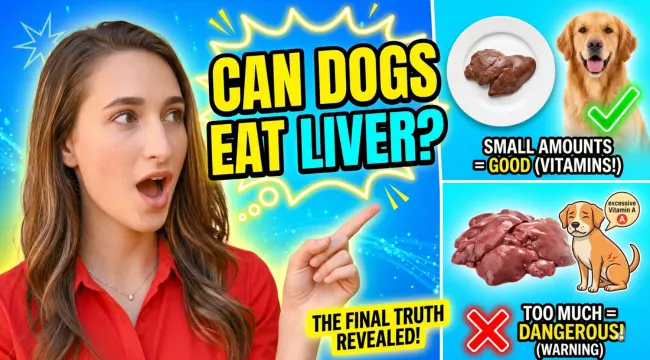
Example of a Recipe Infographic Made With ChatGPT
Here’s an example of a peanut butter dog treat recipe infographic I created using ChatGPT based on one of our homemade dog treat recipes.

Why Turn Recipes Into Infographics?
– Easier to read – everything is organized visually
– More shareable – perfect for Pinterest and social media
– Saves time – no design skills needed
– Stands out – visuals catch attention faster than text
– Reusable content – one recipe becomes multiple posts
FAQs About Recipe Infographics Using ChatGPT
Can ChatGPT create recipe infographics?
Yes, ChatGPT can help create recipe infographic layouts and AI-generated visuals using simple prompts.
Do I need design experience?
No. You can create recipe infographics using prompts and your own photos.
Can I upload my own recipe photos?
Yes. Uploading your own images helps make your infographic more personal and visually unique.

Using ChatGPT to Turn Recipes Into Infographics
Turning your recipe into an infographic is one of the simplest ways to make your content more visually appealing, engaging, and fun to share with others. Whether you’re sharing recipes with friends, posting on social media, or adding them to your blog, recipe infographics can help your content stand out and become more memorable.
I’m honestly glad this is now possible using simple ChatGPT prompts and a little creativity. What once felt overwhelming now feels easy and fun to create.
And once you try it yourself, you’ll probably want to turn all your recipes into infographics too. I know I will—it’s already inspiring me to create even more homemade dog treat recipes for my dogs.
More AI for Dog Lovers
If you love creating fun dog-themed content with AI, check out our AI for Dog Lovers page, where I share all the AI prompts, ideas, and tutorials I’ve created for dog lovers. From dog photo edits and seasonal portraits, to creative AI projects, it’s a growing collection of ideas inspired by life with dogs.




 English (US) ·